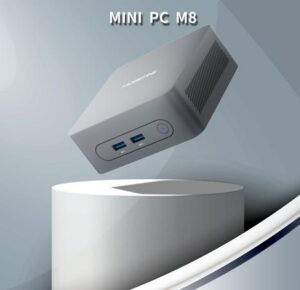
Multiple interacting subsystems—CPU/SoC, memory, storage, GPU (or optimized integrated graphics), thermal design, power supply, and connectivity—can contribute to the performance of a Linux mini PC. It’s just that we need to be mindful of different use cases: home server, developer workstation, media center, edge AI node, or thin client, each of which offers various benefits. I rely on measured metrics such as throughput, latency, sustained thermal performance, and real-world benchmarks to recommend targeted component upgrades for maximum practical benefits.
Choosing the Right Processing Power for Your Linux Mini PC?
When asking how to make your Linux mini PC more powerful, the CPU or SoC is the most fundamental component. For many mini PCs, the CPU determines raw computing power, number of threads, and cache behavior. First, match the number of cores and single-threaded performance to your tasks. Development machines and single-threaded applications benefit from higher per-core clock speeds and strong IPC, while parallel workloads like container orchestration or media transcoding scale well with more cores. Modern x86 low-power processors offer a good balance of performance, while ARM SoCs may offer an advantage in energy efficiency, particularly for always-on servers or edge devices.
Second, consider integrated features that can offload the burden on other subsystems. Many SoCs and CPUs now integrate GPUs, hardware video encoders/decoders, and neural processing units (NPUs) for edge AI. These integrated features reduce the need for standalone accelerators, lowering system cost and power consumption.
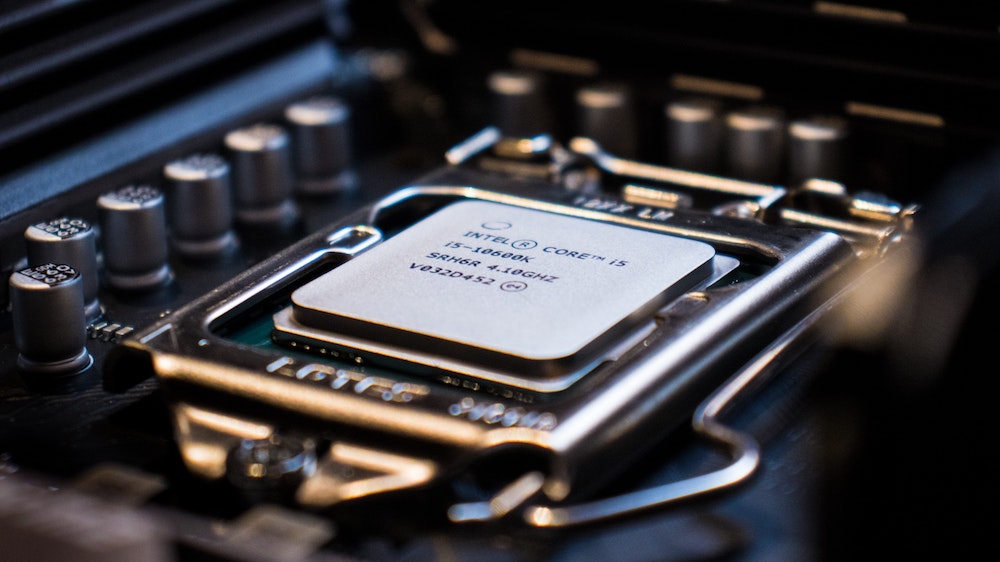
Linux Mini PC Memory Size, Speed, and Configuration
Upgrading memory is one of the most cost-effective ways to improve the performance of a Linux mini PC. RAM directly impacts multitasking capabilities, caching, and swap avoidance. For Linux systems hosting multiple services, containers, or virtual machines, insufficient memory can cause the kernel to swap, resulting in significant performance degradation.
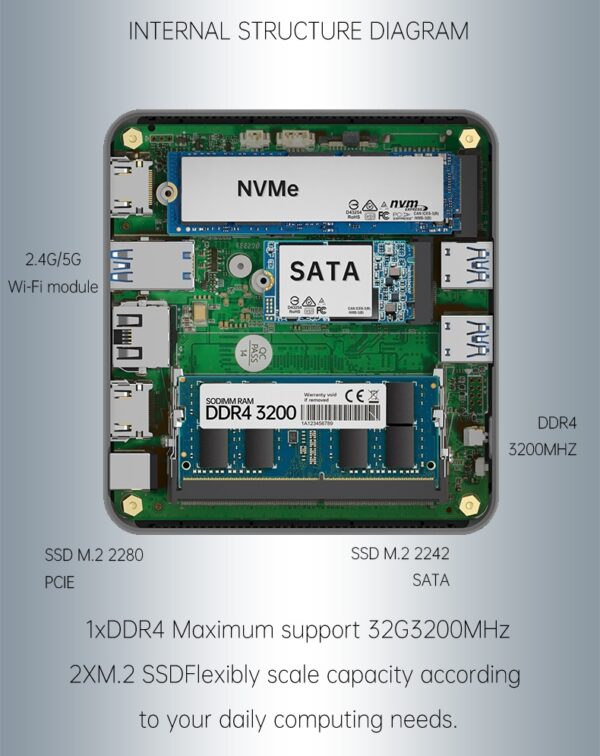
First, consider capacity planning. For lightweight desktop applications or single-service nodes, 8-16 GB of memory is sufficient. For developer machines, container workloads, or lightweight virtualization, 16-32 GB is generally the best choice. Alternatively, for heavier workloads, 32 GB or more can improve throughput and reduce I/O contention.
Next, consider memory speed and dual-channel configuration. While raw capacity is generally more critical, memory speed and dual-channel configuration can boost the performance of the integrated GPU and improve performance for memory-bandwidth-limited tasks. Finally, for edge servers or systems that store critical data, ECC memory can reduce the risk of silent data corruption errors. Therefore, ask your Linux mini PC manufacturer if they have an ECC-capable motherboard.
Upgrading Storage to Reduce I/O Bottlenecks
Storage upgrades often provide the most significant performance improvements in Linux mini PCs. Linux workloads are usually I/O-bound. Upgrading from eMMC or SATA HDDs to NVMe SSDs will improve boot times, application launch speeds, and database responsiveness. Opt for NVMe whenever possible. NVMe SSDs (PCIe-connected) offer higher sequential and random IOPS performance than SATA SSDs or eMMC, and modern NVMe drives offer strong endurance and thermal performance. For desktop or developer PCs, high-quality NVMe drives with good random read/write performance can enhance everyday interactions. For server-like workloads, consider enterprise-grade NVMe or multi-drive RAID configurations for increased throughput and redundancy.
Upgrade GPU and Hardware Acceleration
Graphics and hardware acceleration significantly impact the performance of specialized computing tasks, including media processing, GUI responsiveness, and machine learning inference. For many Linux mini PC use cases, GPUs integrated into modern CPUs/SoCs offer superior performance. They support hardware video decoding, freeing up CPU cycles and significantly improving the energy efficiency of media servers. If you plan to add a discrete GPU, ensure your mini PC supports this feature. Many small form factor devices lack a PCIe x16 slot and instead offer Thunderbolt or USB4 ports for connecting to external GPU docks. Alternatively, choose a platform with a dedicated NPU or a powerful integrated GPU and verify that its drivers are compatible with your Linux distribution.
Upgrade cooling and power to ensure performance is maintained under load.
Powerful processors require adequate cooling and a stable power supply. On mini PCs, thermal limitations often limit sustained performance more severely than peak CPU specifications. If the cooling system is inadequate, the CPU/SoC will throttle, negating the benefits of a higher core count or clock speed.
A passively cooled mini PC performs well in quiet environments and under low-power workloads; however, its performance degrades under prolonged high loads. Active cooling maintains sustained throughput. Therefore, it’s essential to select a mini PC with sufficient thermal headroom and a controllable fan profile to keep noise levels at an acceptable level. It’s also necessary to ensure the power adapter and internal VRM can deliver sufficient current to handle both peak and sustained loads.
Targeted Upgrades for Optimal Performance
Making your Linux mini PC more powerful isn’t a matter of a single upgrade; it requires choosing the right combination of CPU/SoC, RAM, storage, GPU or accelerator, cooling, and connectivity to match your workloads. Therefore, you need to conduct a realistic assessment of your application: Does it require low-latency interactive performance or intense parallel processing? Ultimately, balance performance gains with power consumption, noise levels, and long-term maintainability. Targeted upgrades can be made to improve throughput and response speed.