
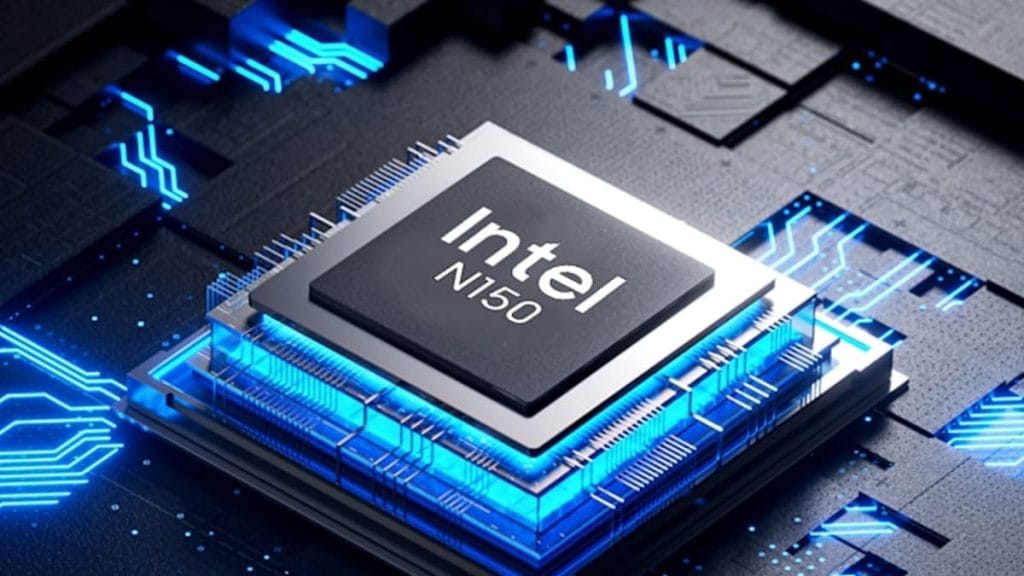
Many users desire a mini PC that’s energy-efficient and suitable for both work and play. Intel Efficiency Core Mini PC series meets these needs by combining low-power chips with powerful I/O interfaces, expandable storage, and a thoughtful thermal design. The ZKC0B Mini PC, featuring the Intel N150 processor (quad-core, four-thread, with a turbo frequency of up to 3.6GHz), delivers high performance for both work and play while maintaining energy efficiency. Furthermore, this Core i7-powered mini PC supports fast storage expansion with up to 32GB of DDR4 RAM and a 2TB SSD, making capacity upgrades easy and seamless. This allows for energy-efficient work and play.
Optimizing Processor Settings to Balance Power and Speed on Intel Efficiency Core Mini PC
The Intel N150 processor is the core of the ZKC0B Mini PC, and its dynamic performance is crucial to achieving a balance between energy efficiency and speed. By default, most Intel Efficiency Core Mini PCs run Windows’ Balanced power scheme. The ZKC0B Mini PC adjusts processor frequency based on demand, triggering a 3.6GHz Turbo Boost during high-load tasks. To maximize power consumption, the ZKC0B integrates Intel Power Management Technology, ensuring the processor consumes additional power only when necessary, avoiding waste. Furthermore, the ZKC0B Mini PC utilizes the latest intelligent cooling technology to prevent chip throttling and energy waste from constantly running fans.
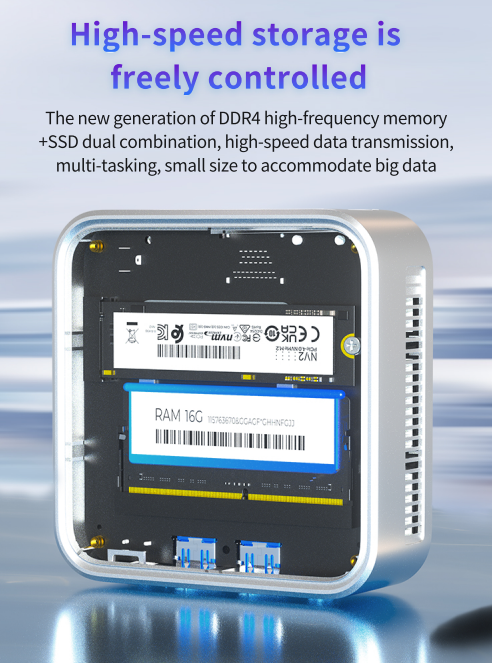
Maximize storage expansion for seamless work/play on an Intel Efficiency Core Mini PC.
Slow storage or insufficient memory is a common bottleneck for mini PCs. However, the ZKC0B Mini PC in the Intel Efficiency Core Mini PC series supports easy upgrades to address this issue without sacrificing power efficiency. The ZKC0B’s maximum capacity is upgradeable to 32GB of DDR4. While the default 8GB of memory is generally sufficient for basic browsing needs, 16GB or 32GB of memory makes multitasking more manageable. Additionally, the SSD is expandable up to 2TB, allowing you to easily store large files locally (such as work presentations, 4K video downloads, or game installs), eliminating the time and energy wasted on slow cloud transfers. The SSD also boots up in under 10 seconds and loads applications 2-3 times faster, reducing processor runtimes.
Leverage stable WiFi 5 for more stable data transfers.
A poor network connection can make even the fastest mini PC feel slow—and frequent reconnections waste power as the device struggles to maintain a signal. We’ve built WiFi 5 into the ZKC0B Mini PC for stable data transfers. WiFi 5 supports speeds of up to 1.3Gbps, making it three times faster than WiFi 4. Unlike WiFi 6, WiFi 5 consumes less power, which is crucial to Intel’s energy-efficient Core mini PCs’ energy-efficiency goals. The ZKC0B consumes 2-3 watts when connected using WiFi 5, while similar devices consume 4-5 watts when connected using WiFi 6.
If you’re working on video editing or transferring large files, connect your Intel Efficiency Core Mini PC to your router using an Ethernet cable. Ethernet consumes 1-2 watts less power than WiFi and provides a 100% stable connection, reducing energy consumption during high-load tasks.
Maintain energy efficiency with intelligent cooling technology.
Overheating causes the processor to throttle and the fan to run at full speed—both of which impair performance and waste energy. The ZKC0B’s cooling system combines a high-speed, silent fan with an aluminum heat sink. The fan only runs at 2000 RPM (quiet, ≤25dB) when the processor temperature reaches 70°C; below 70°C, the fan remains off. This keeps the chip cool without wasting energy by constantly running the fan. For everyday use, use this Mini PC on a flat surface, such as a table or shelf, to allow air to circulate underneath the device. Using it on a bed or sofa can cause heat to accumulate, reducing cooling efficiency.
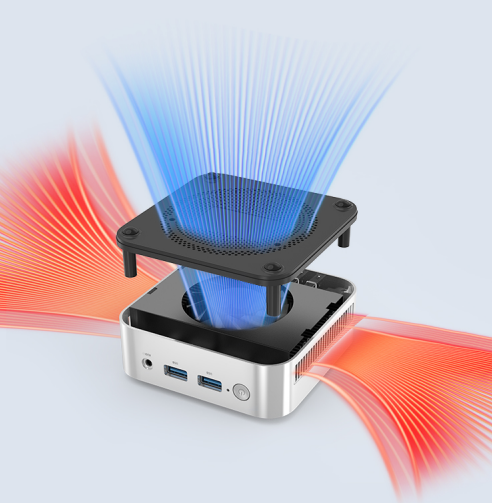
Maintain long-term energy efficiency and performance with regular maintenance.
We cleaned the air vents and fan of the ZKC0B every three months. Dust accumulation acts as a heat insulator, increasing temperatures by 20°C and power consumption by 10 watts. Regularly updating the BIOS from the manufacturer’s website can improve processor power management and fix errors. For SSDs, enable TRIM to remove unused data blocks, keeping the drive dashing. Also, perform weekly scans using Windows Defender or a trusted antivirus software. Malware can consume processing power in the background, increasing power consumption by 10% to 20% and slowing down the Intel Core Mini PC.
Achieve high performance for both work and play while being energy-efficient
The Intel Core Mini PC series, exemplified by the ZKC0B Mini PC featuring an Intel N150 processor, 32GB of DDR4 memory, 2TB of SSD expansion, and WiFi 5 connectivity, proves there’s no need to compromise between energy efficiency and performance. You can keep your device running at peak performance by optimizing processor settings, expanding storage, utilizing a stable connection, using intelligent cooling systems, and performing regular maintenance.