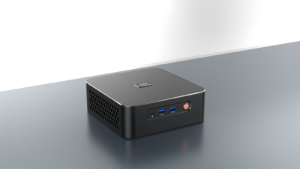
Many users experience poor performance and reduced productivity when using a Windows 10 Mini PC. Improving performance and productivity requires a multifaceted approach. We integrate the latest generation DDR5 memory into our custom-made Mini PCs, delivering 12% faster read speeds and 23% faster write speeds compared to DDR4. This directly accelerates application responsiveness and improves performance for data-intensive tasks. Combined with AMD’s Zen 3+ architecture, built on an advanced 6nm process, this combination pushes performance to new heights—ensuring faster application loading, smoother multitasking, enhanced responsiveness, and lower power consumption.
Using DDR5 Memory to Achieve Faster Data Throughput for Windows 10 Mini PC
Upgrading to DDR5 memory is one of the most direct ways ZKMAGIC can improve the performance of Windows 10 Mini PCs. DDR5 memory boasts a minimum frequency of 4,800 MT/s and a maximum frequency of 6,400 MT/s, delivering a 12% increase in read speeds and a 23% increase in write speeds compared to DDR4. Furthermore, its higher memory bandwidth significantly reduces latency when running memory-intensive tasks. As a result, users will experience smoother multitasking, faster file transfers, and quicker application launches. Furthermore, DDR5’s enhanced power management features reduce overall energy consumption, helping to maintain lower temperatures, extend battery life in portable devices, and minimize system noise. This is crucial for quiet workspaces and media-intensive applications.
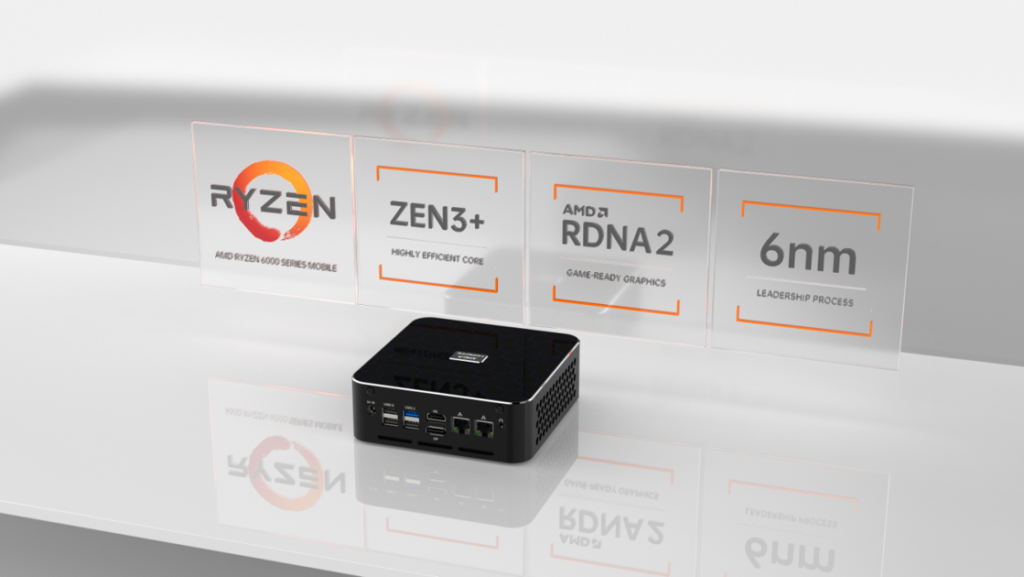
Leveraging Zen 3+ Architecture and 6nm Process Technology
The heart of a high-performance mini PC lies in its processor. By utilizing the AMD Zen 3+ architecture based on a 6nm process, our systems achieve significant improvements in instructions per cycle, power efficiency, and clock speed increases. Compared to previous generations, Zen 3+ delivers up to 15% higher IPC, meaning more work can be accomplished with each clock cycle, especially in single-threaded workloads like gaming or traditional business applications. Furthermore, the advanced 6nm production process reduces power consumption and enables higher sustained boost clock frequencies under high loads. As a result, CPU-intensive workloads, such as compiling code, rendering 3D graphics, or performing complex data analysis, complete faster, directly translating to higher productivity for professionals who rely on Windows 10 mini PCs in demanding work environments.
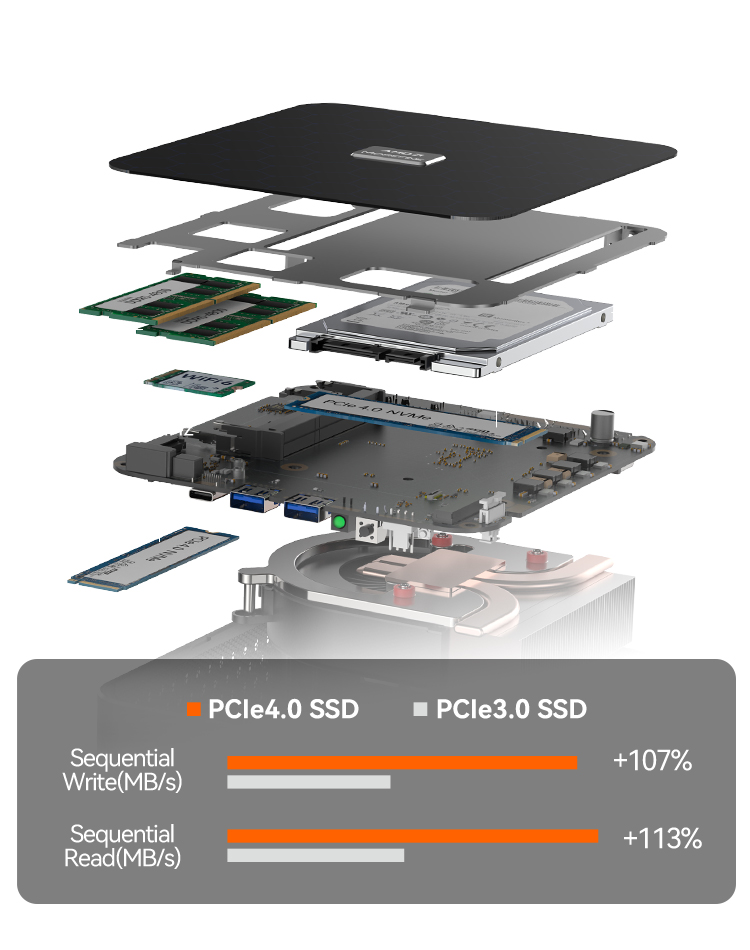
Optimize Storage with NVMe SSDs and RAID Configurations
Storage speed is crucial for application responsiveness and data access. Installing an NVMe SSD in a mini PC’s M.2 slot delivers read/write speeds of up to 7,000 MB/s, significantly reducing system boot and application loading times compared to SATA SSDs. Furthermore, configuring multiple NVMe SSDs in RAID 0 can nearly double sequential transfer throughput, while RAID 1 provides redundancy for critical data protection in enterprise use cases. Therefore, even simple optimizations, such as enabling Windows 10’s Trim command or upgrading to a PCIe 4.0-compatible SSD, can reduce latency and increase file search speeds. This allows for lightning-fast access to large project files, rapid database queries, and seamless multitasking across storage-intensive applications, ensuring storage never becomes a bottleneck.
Utilize peripherals that boost your Windows 10 Mini PC’s productivity
Customizing your mini PC’s configuration isn’t limited to the internal components. Investing in a dual-monitor setup, an ergonomic keyboard, and a high-precision mouse can accelerate your daily workflow. For example, DisplayPort daisy-chaining allows you to drive two 4K monitors from a single Thunderbolt 4 port, expanding your screen real estate for simultaneous document editing, video conferencing, and content creation. Furthermore, low-latency Wi-Fi 6 and Bluetooth 5.2 modules ensure stable wireless connectivity with peripherals, while a USB 4 hub facilitates high-speed data transfers, supports external GPUs, and enables fast charging. As a result, you’ll enjoy a smooth and efficient workspace that’s compatible with the underlying performance of your Windows 10 Mini PC, ensuring low-latency input and seamless integration with modern office and gaming accessories.
Fine-tune settings for maximum efficiency
Beyond hardware, software tweaks can significantly boost your Windows 10 Mini PC’s productivity. First, disable unnecessary startup programs through the Task Manager to speed up boot times and reduce background resource usage. Next, allocate virtual memory (page file) to your fastest NVMe drive and enable ReadyBoost on your secondary SSD to accelerate small random reads. Unleash the full potential of your CPU and GPU by enabling Game Mode or adjusting your power plan to “High Performance.” Additionally, regularly clearing temporary files, defragmenting your traditional HDD, and keeping drivers up to date can reduce system overhead. Finally, utilizing Windows Virtual Desktop or Snap Assist can streamline multitasking across multiple applications, making window management for complex workflows faster and more intuitive.
Boosting Performance and Productivity
Performance and productivity on a Windows 10 Mini PC require strategic hardware upgrades, including DDR5 memory, a Zen 3+ CPU, and optimized software tuning, to unleash the full potential of a high-performance mini PC. This results in faster application responsiveness, seamless multitasking, reliable system stability, and a longer system lifespan.