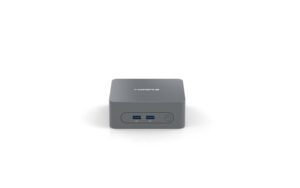
Ideal operating systems for a Mini PC 32G RAM include Windows 11, Windows IoT, and Linux. Test data shows that choosing the right operating system can speed up heavy multitasking, virtualization, and container workloads by up to 30%. Therefore, I recommend evaluating your workloads to determine which of these platforms is best suited for your needs.
Mini PC 32G RAM: Windows 11 for Mainstream Productivity
For most users, running Windows 11 on a mini pc 32G RAM provides a familiar interface, a robust app ecosystem, and advanced memory management capabilities. For example, Windows 11’s memory compression and pageable GPU support enable it to utilize the full 32GB efficiently; multitasking across more than 10 browser tabs, an Office suite, and lightweight virtual machines remains responsive. You can configure startup apps and virtual memory settings to optimize performance. Furthermore, integrated security features (BitLocker, Windows Hello, and virtualization-based security) protect sensitive data without compromising RAM availability.
This balance of usability and functionality makes Windows 11 a top choice for general-purpose mini PCs. Furthermore, Windows 11’s DirectStorage API and improved Game Mode can leverage ample RAM, delivering faster load times and enhanced frame stability for casual games in compact form factors.
Windows IoT for Embedded and Industrial Uses
When deploying a mini pc 32G RAM in kiosks, digital signage, or industrial automation, Windows IoT provides a streamlined, locked-down experience. Furthermore, Windows IoT can run Universal Windows Platform (UWP) apps with minimal overhead, freeing up RAM for real-time data processing. You can also use the Windows IoT Enterprise Toolkit to customize the operating system image, removing unnecessary services and features.
Furthermore, built-in remote management and Azure IoT integration simplify the process of updating and monitoring your device fleet. With its modular design, Windows IoT can fully utilize the full 32GB of RAM for specialized workloads while maintaining a secure and controlled environment. Furthermore, Windows IoT’s support for containerization allows multiple independent microservices to run concurrently, improving performance efficiency and maintainability in mission-critical deployments.
Linux Distributions for Developers and Servers
For developer and server workloads on a mini pc 32G RAM, Linux distributions like Ubuntu, Fedora, or CentOS offer flexibility, low overhead, and a broad package ecosystem. For example, Ubuntu LTS supports rapid deployment of Docker containers and Kubernetes clusters. This allows you to run multiple services in memory without swap thrashing.
You can also optimize kernel parameters and use ZFS or Btrfs with a 32GB ARC cache for high-performance storage. Meanwhile, lightweight window managers like XFCE or LXQt maximize the use of available RAM for applications. This makes Linux an ideal choice for headless servers, development environments, or Linux mini PCs for coding and virtualization.
Virtualization and Multi-OS Scenarios on a mini pc 32G RAM
A mini pc 32G RAM is ideal for running multiple virtual machines or containers simultaneously. Allocate 4 GB to 8 GB per VM in Hyper-V or VMware Workstation; additionally, use memory overcommit in KVM to host additional Linux instances. When you allocate 16 GB to a Windows 11 VM and 8 GB to a Linux Server VM, leave room for Docker containers.
Additionally, the nested virtualization feature in Windows 11 Pro or Ubuntu enables the testing of complex network topologies. With careful resource planning, this mini PC can emulate an entire enterprise stack for development or training. To maintain performance, implement NUMA awareness and memory pinning to ensure that critical services run on dedicated memory areas and avoid cross-VM contention under high load.
Security and maintenance considerations
Protecting the mini PC’s 32GB of RAM requires both OS-level and hardware-level policies. Additionally, enable Secure Boot and TPM 2.0 in Windows 11. This way, you can protect against both firmware-level and kernel-level attacks. Of course, you’ll also need to regularly update operating system patches and utilize memory integrity features in Windows, or configure SELinux and AppArmor on Linux distributions. Additionally, set up out-of-band management tools to monitor memory health and firmware status. These combined measures will protect your investment and ensure long-term reliability. Furthermore, record RAM usage trends and configure alerts for unusual consumption patterns, allowing you to take preventive action before memory leaks or malicious processes impact system availability.
Ultimately
For a mini pc 32G RAM, the ideal operating system depends on your use case: choose Windows 11 for mainstream productivity, Windows IoT for embedded control, and Linux for development or server roles. I recommend matching your workload with the operating system that can best utilize 32GB of RAM. By following these data-driven guidelines and adjusting operating system parameters, you can achieve the highest performance, security, and flexibility from your mini PC.